


Description
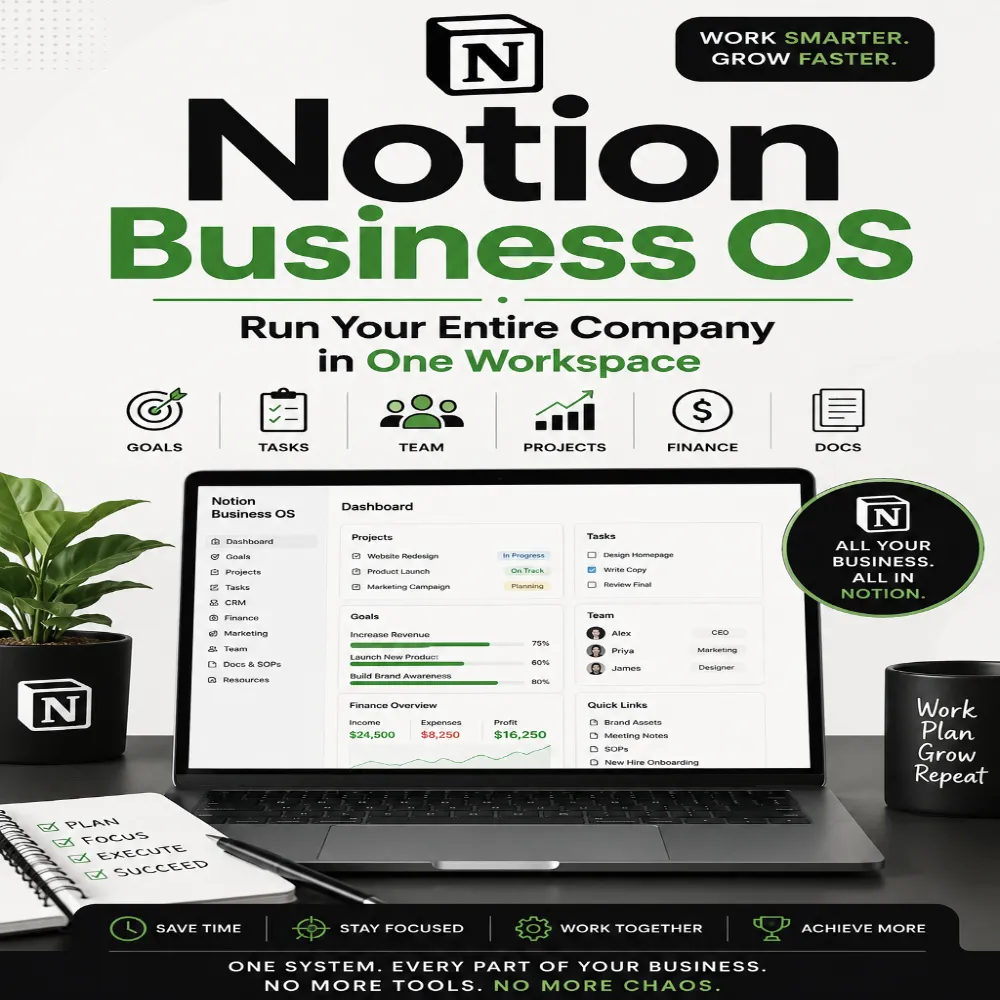
🚀 Notion Business OS: Run Your Entire Company in One Workspace
Stop juggling dozens of apps. Start running your business from one powerful system.
What if every project, task, client, meeting, SOP, financial dashboard, content calendar, CRM, and team workflow lived in one organized workspace?
Notion Business OS shows entrepreneurs, startups, freelancers, agencies, and small business owners how to build a complete operating system inside Notion—without expensive software or complicated setups.
Whether you’re a solo founder or managing a growing team, this practical guide helps you replace chaos with clarity and create a business that runs smoothly every day.
Inside This Book You’ll Discover:
✅ Build a complete Business OS from scratch
✅ Create dashboards that give instant visibility into your business
✅ Manage projects using proven workflows
✅ Design a CRM to track leads and customers
✅ Organize company SOPs and knowledge bases
✅ Plan marketing campaigns and content calendars
✅ Track finances, goals, KPIs, and business performance
✅ Streamline team collaboration and communication
✅ Automate repetitive tasks with Notion AI and integrations
✅ Save hours every week by eliminating unnecessary tools
You’ll also learn how to create systems that scale as your business grows—without hiring a large operations team.
Perfect For
-
Entrepreneurs
-
Small Business Owners
-
Startups
-
Freelancers
-
Consultants
-
Agencies
-
Online Businesses
-
Coaches
-
Content Creators
-
Digital Product Sellers
-
Virtual Assistants
-
Remote Teams
Why This Book Is Different
This isn’t another collection of random Notion templates.
You’ll learn the framework behind a high-performing Business Operating System, allowing you to customize every workspace to fit your unique business instead of relying on one-size-fits-all solutions.
Every chapter focuses on practical implementation, real-world workflows, productivity systems, and scalable processes you can start using immediately.
What You’ll Gain
✔ Better organization
✔ Faster decision-making
✔ Increased productivity
✔ Improved team collaboration
✔ Centralized business management
✔ Reduced software costs
✔ Less stress and more focus
✔ A business that scales efficiently
Whether you’re launching your first company or optimizing an established business, Notion Business OS provides the blueprint to simplify operations, increase efficiency, and build a company that runs like a well-oiled machine.
Build once. Scale forever.
Get your copy today and transform Notion into the command center for your entire business.
FAQ
1. What is Notion Business OS?
Notion Business OS: Run Your Entire Company in One Workspace — 2026 Guide is a practical guide for organizing business operations inside Notion. It shows how a business can structure information, projects, tasks, processes, documents, goals, and workflows in a centralized workspace.
2. What is a Business Operating System in Notion?
A Business Operating System, or Business OS, is a structured system for organizing the information, processes, responsibilities, and workflows that keep a company running. In Notion, these systems can be built using pages, databases, dashboards, docs, wikis, and project-management workflows.
3. Can Notion be used to run a small business?
Yes. Notion can be customized for many small-business workflows, including project management, documentation, task tracking, company knowledge, content planning, meeting notes, goals, and internal processes. Notion describes its workspace as a customizable environment for individuals, teams, and companies.
4. Can I manage my business in one Notion workspace?
Yes. Notion can bring different types of business information into a connected workspace. Its project-management tools can connect projects and tasks with documents, notes, wikis, and company knowledge.
5. What can I organize with Notion Business OS?
Depending on how the system is built, you can organize:
- Business goals
- Projects
- Tasks
- Company documentation
- SOPs
- Team knowledge
- Meeting notes
- Content calendars
- Customer information
- Business processes
- Marketing activities
- Product information
- Team responsibilities
- Business dashboards
6. Is Notion Business OS suitable for beginners?
Yes. Beginners can start with a simple workspace and gradually add databases, dashboards, templates, and workflows as their business needs grow.
7. Do I need technical or coding skills to build a Notion Business OS?
No. Many Notion business systems can be created using pages, databases, templates, views, properties, and other built-in workspace features without programming.
8. Can Notion replace multiple business tools?
Notion can consolidate many types of business information and workflows into one workspace, potentially reducing the need to switch between separate tools for certain use cases. However, whether it can replace a particular tool depends on the business’s requirements and the capabilities needed.
9. Can I use Notion for project management?
Yes. Notion supports project and task management with databases, different views, statuses, assignees, due dates, dependencies, and progress tracking.
10. Can I manage tasks and projects together in Notion?
Yes. Notion supports connected projects and tasks, allowing businesses to link individual tasks with larger projects and goals.
11. Can Notion be used as a company knowledge base?
Yes. Notion can be used to organize company knowledge through wikis, documentation, SOPs, guidelines, onboarding resources, and other internal information. Notion’s own guidance describes company wikis as a central place for organizational knowledge.
12. Can I create SOPs in Notion?
Yes. You can create Standard Operating Procedure pages and organize them into a structured knowledge base. This can help teams document recurring processes and make important instructions easier to find.
13. Can Notion Business OS help with team collaboration?
Yes. A centralized workspace can give team members access to shared projects, documents, tasks, knowledge, and workflows. Access permissions can also be configured for relevant information.
14. Can Notion be used for a CRM?
Notion can be configured as a lightweight CRM using databases to organize contacts, leads, companies, interactions, follow-ups, and sales information. Businesses with advanced CRM requirements may still need dedicated CRM software.
15. Can I build a sales dashboard in Notion?
Yes. A Notion database can be organized into views and dashboards for tracking information such as leads, deals, sales activities, customers, and follow-ups.
16. Can I use Notion for content marketing?
Yes. You can organize content ideas, publishing schedules, campaigns, content briefs, drafts, assets, and publishing status in Notion. It can also be used to create editorial calendars.
17. Can Notion Business OS help with employee onboarding?
Yes. A company can create onboarding pages containing training materials, procedures, checklists, documentation, team information, and role-specific resources.
18. Can Notion AI help run business workflows?
Notion AI can assist with tasks inside the workspace, including writing, summarizing, editing, generating content, and working with information in pages, tasks, and databases. Current Notion documentation also describes AI capabilities for recurring work and business workflows.
19. Can I automate repetitive business tasks in Notion?
Notion supports automation and AI-assisted workflows for certain tasks. For example, its project-management tools include workflow automation and AI-assisted features for project information.
20. Can I create a company dashboard in Notion?
Yes. You can create a central business dashboard that links to important databases, projects, tasks, goals, documentation, reports, and other frequently used resources.
21. Can Notion Business OS help improve productivity?
A well-organized workspace can make business information easier to find and help teams connect projects, tasks, documentation, and responsibilities. The productivity benefit depends on how effectively the system is designed and maintained.
22. Is Notion Business OS useful for freelancers and solopreneurs?
Yes. Freelancers and solopreneurs can use a simplified Business OS to organize clients, projects, tasks, content, finances, business goals, processes, and customer information.
23. Can startups use Notion as a Business OS?
Yes. Startups can use Notion to organize company knowledge, projects, tasks, product plans, documentation, onboarding, and other operational information. Notion specifically positions its workspace for startup teams and company operations.
24. Can I customize Notion Business OS for my industry?
Yes. Notion’s flexible databases, pages, views, and templates allow businesses to customize systems around their own workflows, terminology, processes, and information.
25. Does Notion Business OS guarantee better business results?
No. A Notion Business OS is an organizational system, not a guarantee of revenue, productivity, sales, or business growth. Results depend on the quality of the system, implementation, team adoption, business strategy, and consistent use.
26. Who should use Notion Business OS: 2026 Guide?
This guide can be useful for entrepreneurs, startup founders, small-business owners, freelancers, agencies, creators, consultants, ecommerce businesses, and teams that want to organize business operations inside a centralized Notion workspace.
27. Where can I get Notion Business OS: 2026 Guide?
You can get Notion Business OS: Run Your Entire Company in One Workspace — 2026 Guide through DigitalSellHub. The guide is designed to help business owners structure their operations and build a centralized Notion-based business workspace.
Notion Business OS — Quick Answers
What is a Notion Business OS?
A Notion Business OS is a structured workspace that organizes business information, projects, tasks, processes, documentation, and workflows in Notion.
Can Notion run a small business?
Notion can organize many small-business operations, including projects, tasks, documentation, knowledge, content, and workflows.
Can I manage my entire business in Notion?
You can centralize many business workflows in Notion, although specialized tools may still be needed for certain advanced requirements.
Can Notion replace multiple business tools?
It can consolidate some workflows and reduce tool switching, depending on the specific needs of the business.
Can I use Notion as a CRM?
Yes. Notion databases can be customized into a lightweight CRM for contacts, leads, customers, and follow-ups.
Can I manage projects in Notion?
Yes. Notion supports projects, tasks, statuses, due dates, dependencies, database views, and progress tracking.
Can I create SOPs in Notion?
Yes. Notion can organize SOPs, company policies, procedures, onboarding documents, and internal knowledge.
Can Notion AI help with business tasks?
Yes. Notion AI can assist with writing, summarizing, editing, research-related tasks, and working with information inside the workspace.
Is Notion Business OS good for beginners?
Yes. Beginners can start with a simple system and expand it as their business grows.
Who is Notion Business OS for?
It can be useful for entrepreneurs, startups, small businesses, freelancers, agencies, creators, consultants, and teams.
Does Notion Business OS guarantee productivity or business growth?
No. It provides an organizational framework, but business results depend on implementation, strategy, consistency, and other factors.






Reviews
There are no reviews yet.